

People who like the paper method but need something easier to keep
If you already understand the appeal of filling one square per day, PixelDiary gives you the same idea with reminders, notes, and a record that is always with you.
Understand the format before you install
Year in Pixels is simple: one day becomes one colored square. Over time, those squares become a visual map that is much easier to review than scattered notes, isolated streaks, or memory alone.
PixelDiary takes that paper-friendly idea and makes it practical on a phone. You can start with ready-made trackers, customize them freely, and use analytics to find patterns and relationships that a paper sheet cannot calculate for you.


Format to product
The strength of the format is that it works at two scales at once: a day can stay tiny, but the collection of days becomes rich enough to review.
Who it's for
If you already understand the appeal of filling one square per day, PixelDiary gives you the same idea with reminders, notes, and a record that is always with you.
The familiar grid stays simple, but the phone version can summarize what you tracked, surface repeated patterns, and help you inspect relationships between categories.
A Year in Pixels system is especially useful when your goal is perspective later, not public accountability or protecting a streak today.
How it works in practice
Step 1
This page should explain the category in plain language so someone new to the format can tell whether it fits them before downloading the app.
Step 2
Mood, routines, symptoms, and journaling do not need separate apps if the category system can adapt while the year view stays stable.
Step 3
The method pays off when the app can help you read what happened. Analytics, summaries, and alternate views turn a filled grid into something more useful than a visual archive.
Example setup ideas
Use a simple daily mood scale, add one optional energy modifier, and keep short notes for days that need explanation.
This setup makes emotional patterns easier to revisit without turning every evening into a full journaling session.
Track a routine like exercise or bedtime and keep a second category for recovery, soreness, or how the day felt overall.
You get a pattern that is broader than a single streak and more honest about drift, recovery, and seasonality.
Log pain, fatigue, sleep quality, or flare intensity and add modifiers for medication, travel, stress, or unusual days.
The result is a personal history that is much easier to interpret than disconnected notes written only on the worst days.
Use the same grid for something completely personal, such as tomato seedlings, with categories for watering, humidity, sunlight, and temperature.
This is where customization matters most: the app can become your own system instead of forcing you into a standard wellness template.
In the app
These captures are here to support the promise on the page. Each one is tied to a specific claim about how the workflow actually works inside PixelDiary.
In the app
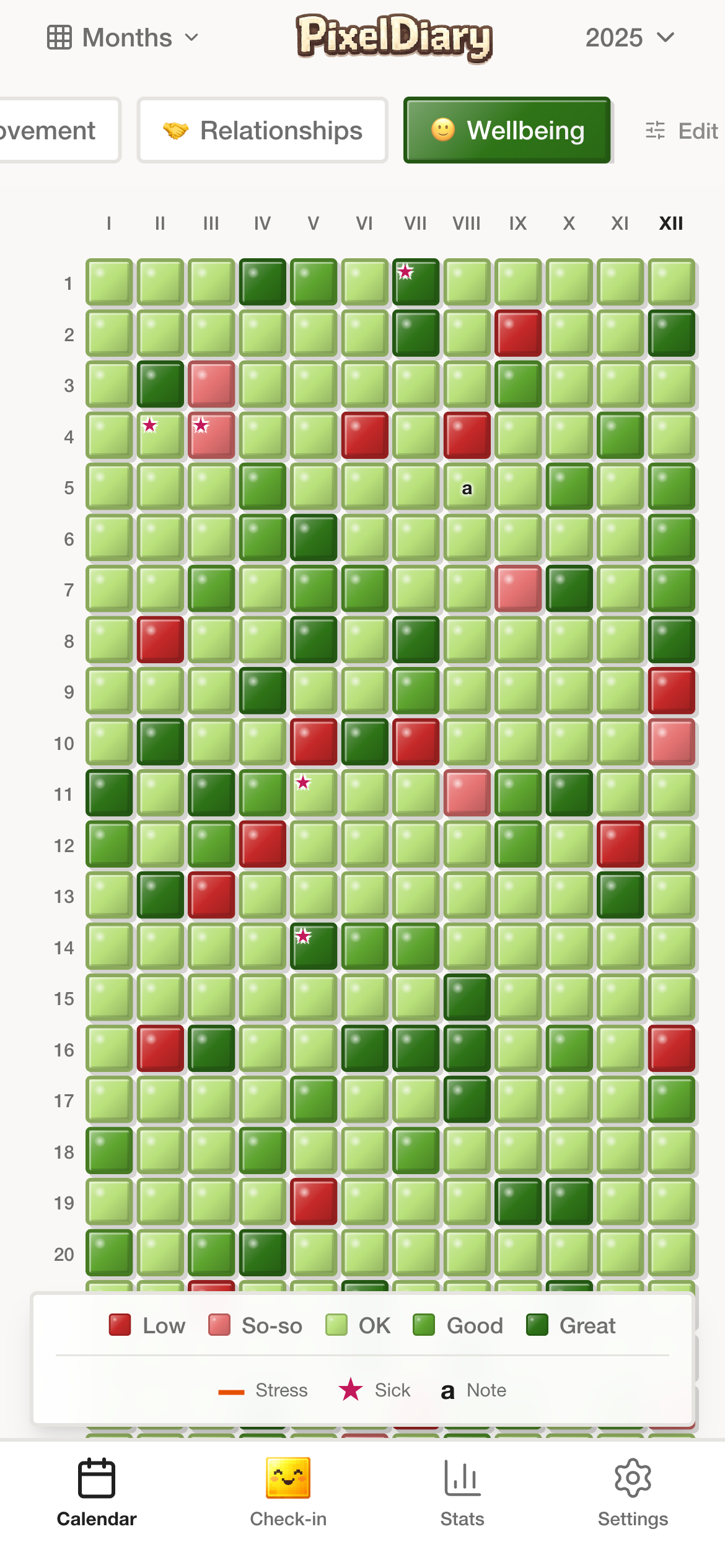
The annual grid shows whether the method is working. When the screen stays readable across a long stretch of time, the product has succeeded at its core job.
The visual density is the point: more days collected should make the page more useful, not more cluttered.
In the app
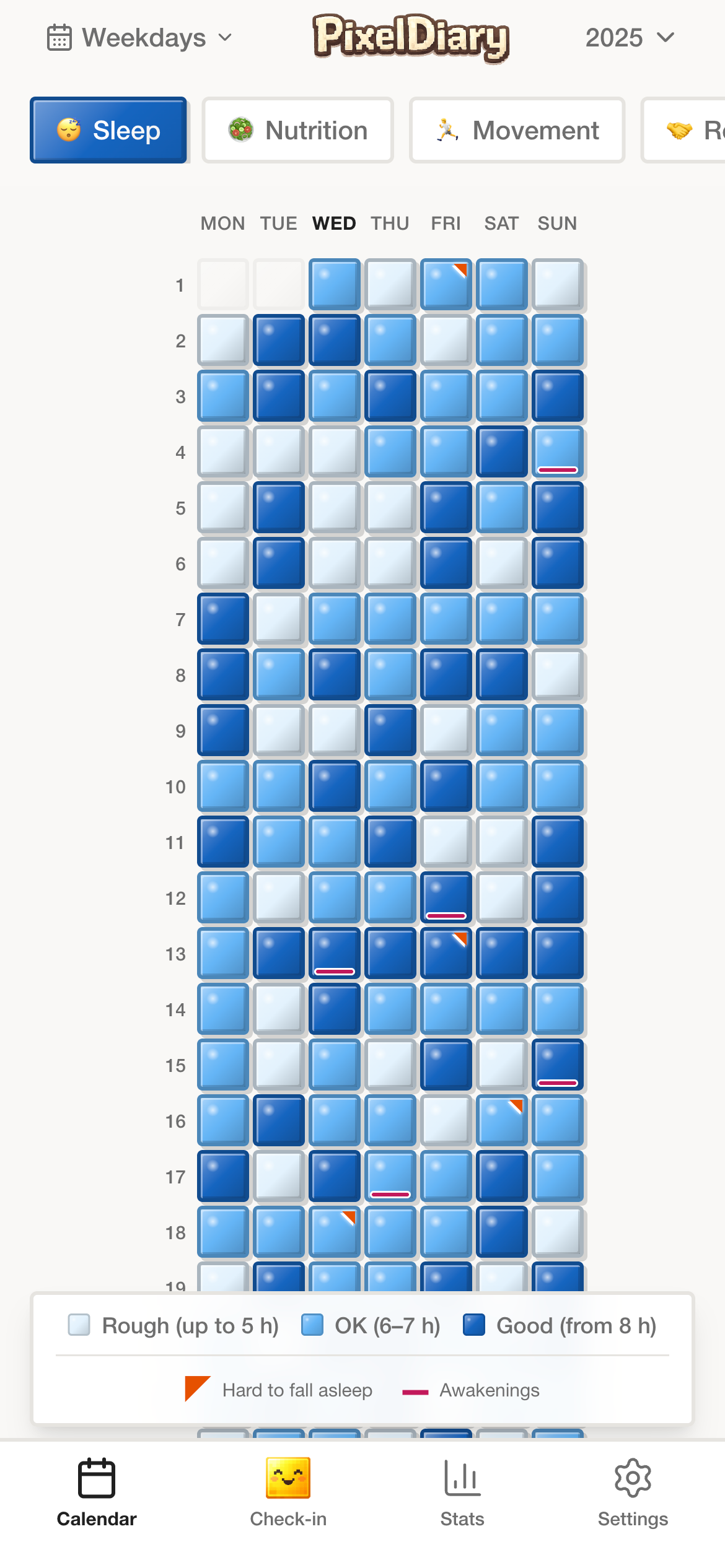
A Year in Pixels format gets stronger when you can move from the big picture to weekday clusters or monthly rhythm without exporting data somewhere else.
The same entries can answer different questions depending on whether you need a broad pattern or a closer look.
In the app
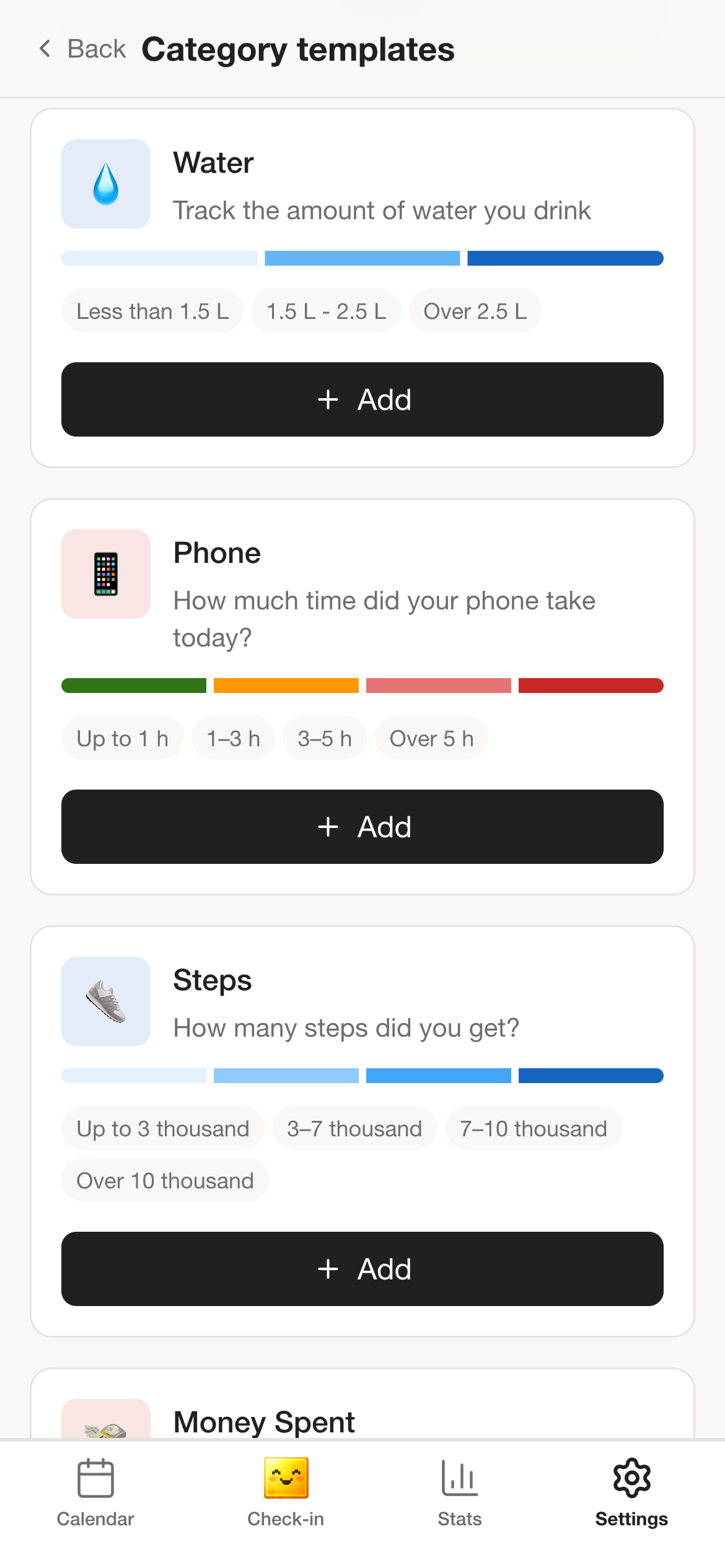
The grid is fixed, but the meaning of a pixel is not. Templates and custom categories let the method fit mood, habits, symptoms, journaling, or something as specific as tracking tomato seedlings at home.
The product stays coherent because the review surface is stable even when the setup changes.
In the app
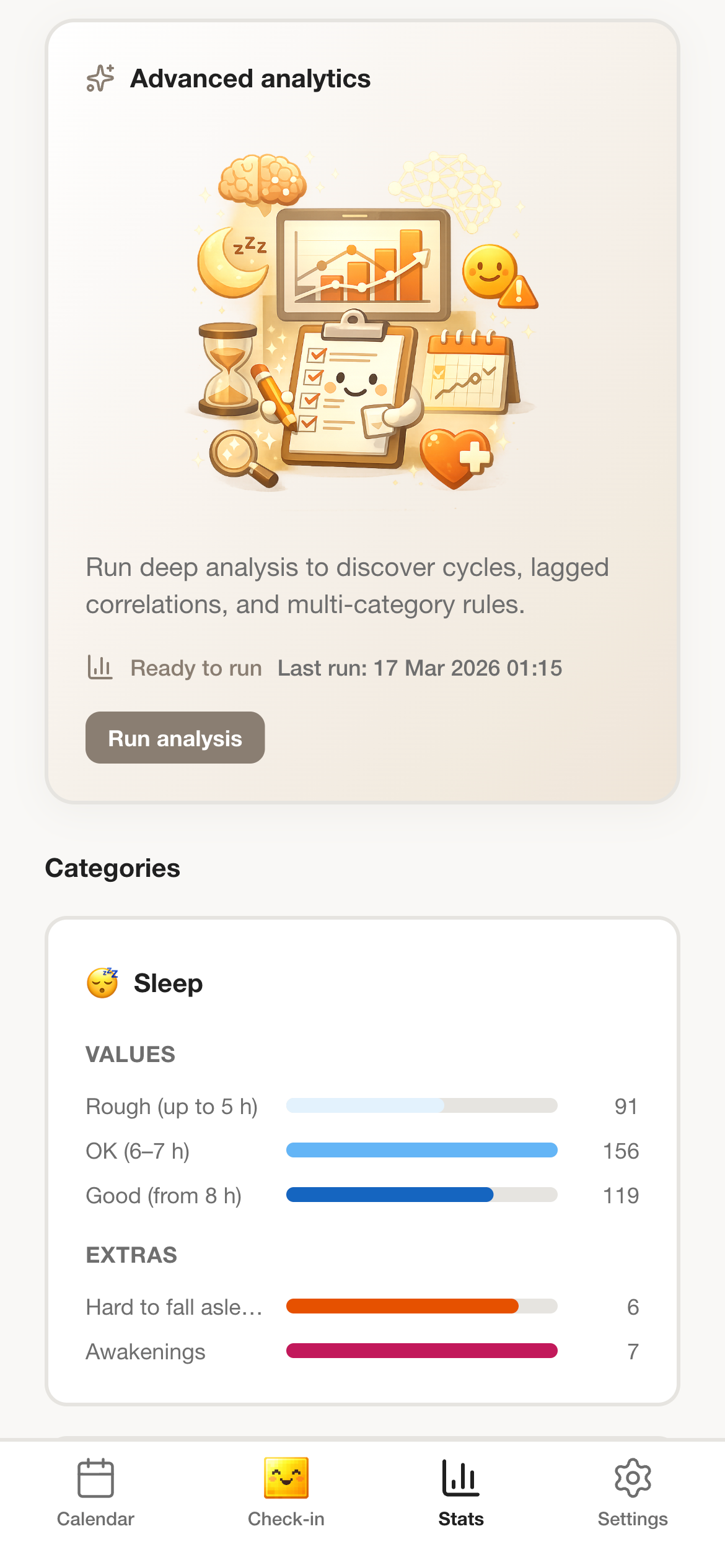
Once the record lives in the app, PixelDiary can help surface repeating cycles and relationships in the data you already entered, such as whether poor sleep tends to be followed by worse mood.
This is the major upgrade over a paper calendar: the app can help read the pattern, not only store it.
Why this instead of something else
Most alternatives are not bad. They just optimize for a different kind of use. PixelDiary is strongest when you want a reviewable visual record that still keeps context close to the day.
Compared with
Where it falls short
Beautiful and simple, but harder to keep with you, harder to update on busy days, and weaker for notes, reminders, or multi-category tracking.
Why PixelDiary fits
PixelDiary keeps the same basic method while adding templates, deep customization, reminders, multiple categories, and analytics that can help interpret the pattern later.
Compared with
Where it falls short
Great for pressure and scorekeeping, but weaker when you care about patterns, context, imperfect seasons, or several kinds of personal data.
Why PixelDiary fits
PixelDiary keeps the visual signal without making the product revolve around protecting a single number.
Compared with
Where it falls short
Rich in detail, but hard to scan across months unless you reread long entries one by one.
Why PixelDiary fits
PixelDiary keeps journaling context available while turning the year itself into something you can scan in seconds.
Trust and product truth
PixelDiary is not presented as a medical tool, therapy substitute, or productivity leaderboard. It is a private personal tracking app built around a visual record you can review honestly.
That matters because the success of this format depends on low friction, believable privacy, and enough flexibility to reflect real life instead of forcing every day into a single rigid score.
Private personal record
The product is framed as a personal tool rather than a community performance space, which makes the format easier to use honestly.
Notes and modifiers live with the day
Context is attached to the same record instead of being split across separate apps or forgotten entirely.
Multiple views over the same entries
A year view is powerful, but the product also supports closer review when you need to understand a cluster or rhythm.
Private enough for honest data
Privacy works best here as reassurance. The record is encrypted and protected so personal tracking can stay personal.
Context and sources
These references are here to support the broader logic of tracking, reflection, and pattern review. They do not change the product claims above.
Last reviewed: 2026-03-29
APA summary
Useful context for why simple repeated tracking can matter more than complex systems that are hard to sustain.
Read sourceOxford Health NHS
A practical reference for the idea that visual summaries can help people notice patterns over time.
Read sourceRelated pages
Explore how the year view changes when the main job is emotional reflection.
Review how PixelDiary handles habits without making streaks the center of the story.
See how the grid works when notes and memories matter more than measurement.
FAQ
It is a tracking format where each day is represented by a small square. Over time, the full year becomes visible as a visual pattern instead of a long list of daily entries.
A phone-based version makes the method easier to keep because you can log days quickly, start from templates, customize categories freely, and use analytics to learn more from the record later.
Yes. The grid stays the same while the categories and value scales change, which is why the format works for mood, habits, symptoms, journaling, or very specific personal projects.
Templates and customization make setup easier, but the biggest long-term advantage is analytics. PixelDiary can help summarize the record and surface patterns or relationships that a paper sheet cannot calculate on its own.
No. Mood is a strong use case, but the app is also built for routines, symptoms, sleep, personal notes, and other custom categories.
Not always. PixelDiary is strongest when you want a lighter daily record that stays reviewable. Some people will still pair it with longer-form writing elsewhere.
PixelDiary gives the format enough structure to stay useful and enough flexibility to keep using after the novelty wears off.