
People who want journaling to stay small and consistent
If a blank page, long-form editor, or daily essay mindset keeps killing the habit, PixelDiary gives you a lighter way to keep memory and reflection alive.
Private journaling with a visual backbone
A lot of people want to journal, but not everyone wants to write a long entry every day. PixelDiary works well when you want something lighter: a tiny daily marker, a short note when there is something worth remembering, and a year view that helps the story stay visible.
The result feels more like a private visual diary than a traditional journal app. You still keep words when they matter, but the product does not collapse if a day only gets one line or one color.


Light journaling
PixelDiary is strongest for journaling when you want the note to stay connected to the date and the larger arc of the year, not disappear into an endless archive.
Who it's for
If a blank page, long-form editor, or daily essay mindset keeps killing the habit, PixelDiary gives you a lighter way to keep memory and reflection alive.
The year grid makes it easier to revisit a season of life, not just search for an old note by date or keyword.
PixelDiary is not built around publishing or social reactions, which makes it a better fit for personal writing and memory keeping.
How it works in practice
Step 1
The smallest successful journal is one you can actually keep. PixelDiary supports tiny entries so the habit can survive ordinary, tired, or unremarkable days.
Step 2
Notes, modifiers, and values live inside the same daily record, which makes the archive easier to revisit later than a disconnected note list.
Step 3
The visual layer helps you remember phases, trips, stressful stretches, gentle months, and meaningful clusters without rereading everything from scratch.
Example setup ideas
Keep a single note each day with a simple overall tone or color so the year stays visual even when the writing stays small.
This setup is ideal if you want a diary habit that survives busy seasons and still leaves you with something meaningful to revisit.
Use notes for memories and a value scale for how a day felt so trips, intense stretches, or recovery periods remain visible later.
The year grid becomes a map of lived periods rather than just a stack of chronological notes.
Pair short writing with mood, habit, or symptom categories when you want the diary to carry both story and data.
This works well when you want your journal to remember both what happened and how life was moving around it.
In the app
These captures are here to support the promise on the page. Each one is tied to a specific claim about how the workflow actually works inside PixelDiary.
In the app
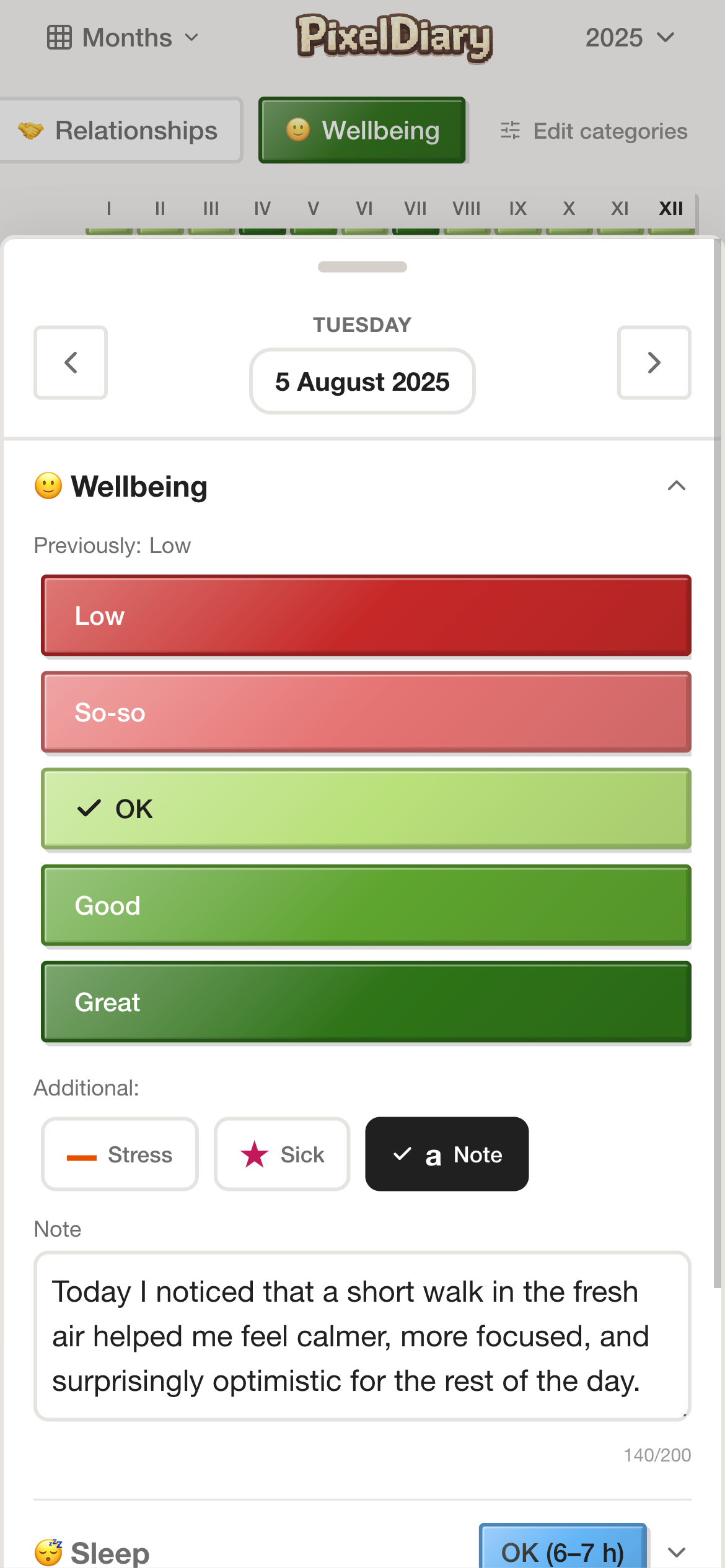
PixelDiary keeps journaling close to the daily entry instead of asking you to switch modes entirely. That makes short reflection feel easier to repeat.
For many people, the right journaling tool is the one that asks for less while still keeping what matters.
In the app
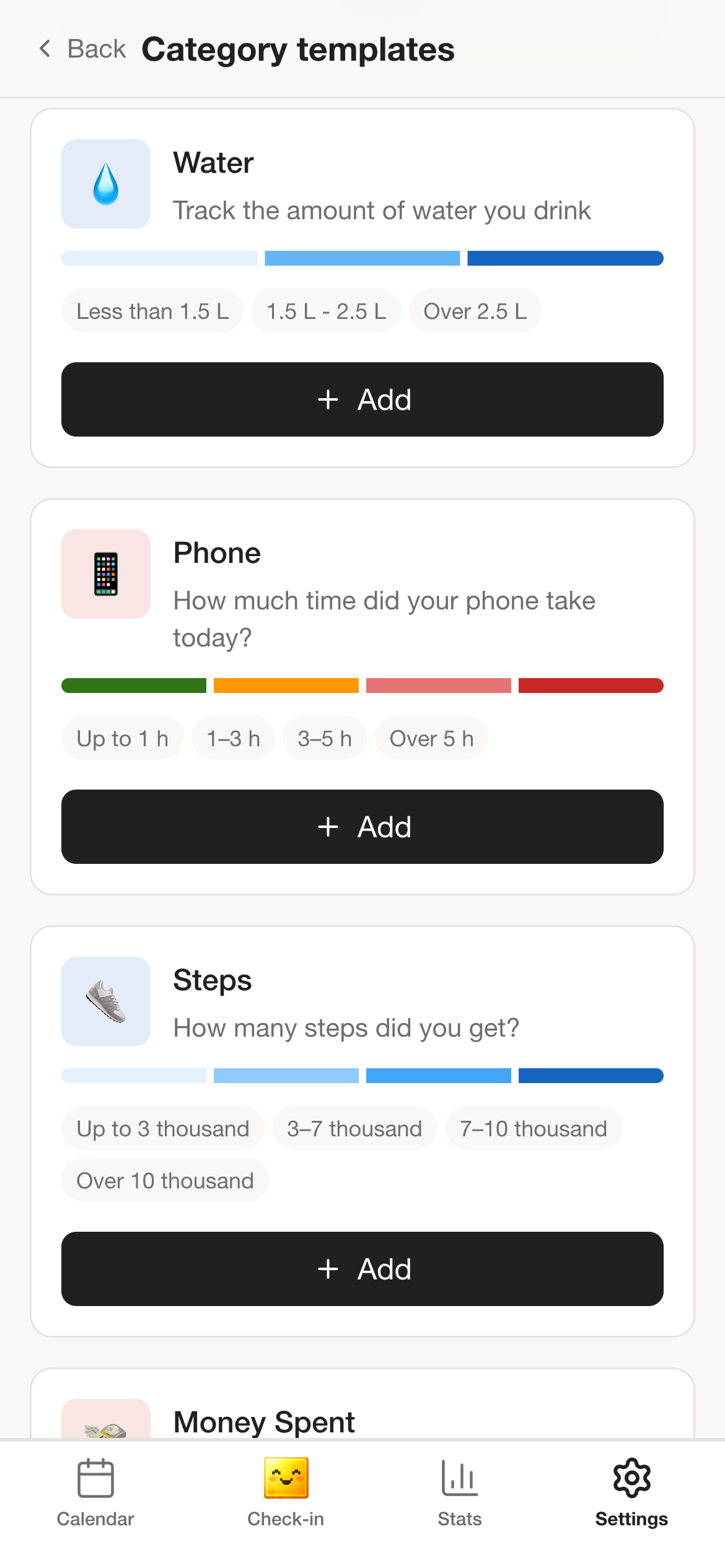
Some people want pure notes. Others want a memory diary with mood, habits, or relationships nearby. The category system lets the journal stay personal without becoming shapeless.
This is what makes the product more usable than a blank notebook app for people who want a little structure.
In the app
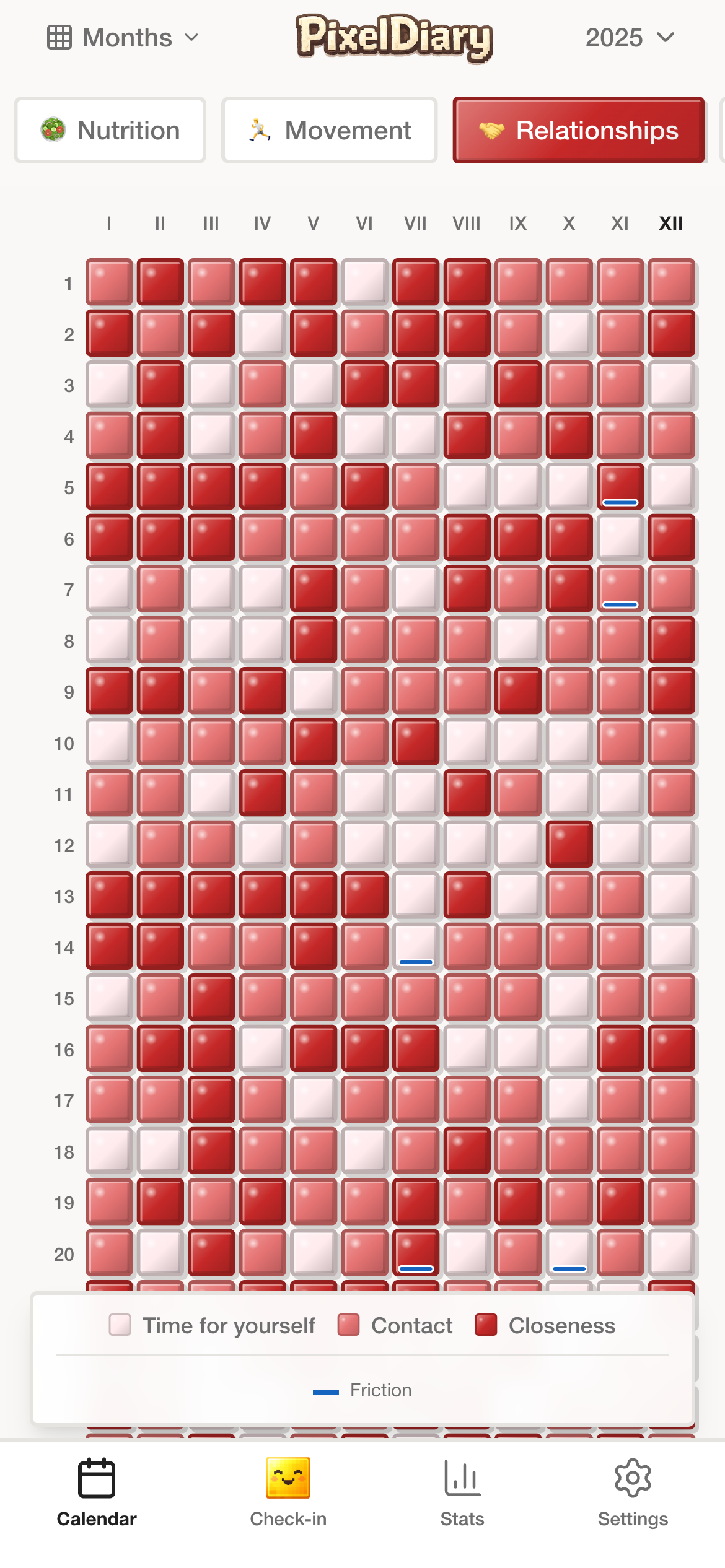
When the writing is attached to a visible year, it becomes easier to revisit a season of life, not just a list of old entries.
That visual review layer is what separates this workflow from a standard notes archive.
Why this instead of something else
Traditional journal apps, notes apps, and social diary products can all be useful. PixelDiary is different because it gives the writing a visual structure and keeps the habit small enough to survive.
Compared with
Where it falls short
Strong for long-form writing, but harder to keep consistently if you do not want a full entry every day.
Why PixelDiary fits
PixelDiary supports small notes and daily markers so the habit does not depend on always having a lot to say.
Compared with
Where it falls short
Easy capture, but weak review. Old notes tend to become a search problem rather than a visible story.
Why PixelDiary fits
PixelDiary keeps notes anchored to a date, a value, and a visible year view that makes the archive easier to revisit.
Compared with
Where it falls short
Sharing can be motivating for some, but it also changes what people feel safe writing down.
Why PixelDiary fits
PixelDiary stays focused on private personal use, which is often a better fit for journaling and memory keeping.
Trust and product truth
Private journaling works best when the product lowers pressure instead of adding performance. PixelDiary does that by letting the note stay short, the entry stay attached to the day, and the year itself become the main review surface.
That makes the journal use case less about writing beautifully every day and more about keeping a personal record that still means something later.
Private personal writing
The page frames PixelDiary as a personal diary workflow, not as content for sharing or public accountability.
A note can be enough
The journaling model works even when a day gets only one line, which makes it easier to keep consistently.
Visual review changes the archive
The year grid gives the journal a second layer: not just what was written, but where it sits in the arc of the year.
Works with other personal categories
Mood, habits, symptoms, or relationship notes can sit beside the journal when you want a fuller record of a period of life.
Context and sources
These references are here to support the broader logic of tracking, reflection, and pattern review. They do not change the product claims above.
Last reviewed: 2026-03-29
APA summary
Helpful context for why small, repeated personal records can be more sustainable than ambitious systems.
Read sourceOxford Health NHS
Useful background for why combining a diary habit with visual review can make reflection easier.
Read sourceRelated pages
See why the year view works as a memory surface, not only as a tracker.
Explore the mood-focused version of the same note-plus-grid workflow.
See how PixelDiary supports habit review when journaling and routines need to live together.
FAQ
Yes. It works well when you want a private daily diary with short notes and a visual way to revisit the year.
No. The product is intentionally useful even when a day gets only a small note or a single visual marker.
A notes app stores entries. PixelDiary also gives those entries a visible place in the year, which makes the history easier to review as a whole.
Yes. You can keep short writing beside mood, habit, symptom, or other personal categories in the same system.
Yes. PixelDiary is positioned as a private personal product rather than a social diary platform.
PixelDiary helps you keep short notes, remember meaningful days, and turn the year itself into something you can revisit with clarity.