


PixelDiary app iconPixelDiary logoYear in Pixels
PixelDiary logo

PixelDiary: Year in Pixels

The Year in Pixels method, brought to your phone

PixelDiary takes the familiar habit of filling a tiny daily calendar square and makes it practical on your phone. You can start with ready-made trackers, customize everything for your own system, and use analytics to spot patterns and relationships in what you log.

Download on the App StoreGet it on Google Play
Ready-made trackersFully customizablePattern-finding analyticsPrivate by design
Person using PixelDiary in a calm home setting near a window, reflecting on the day with a phone in hand.
Calm daily check-in
PixelDiary app icon

Year in Pixels

See the shape of your year in one calm view

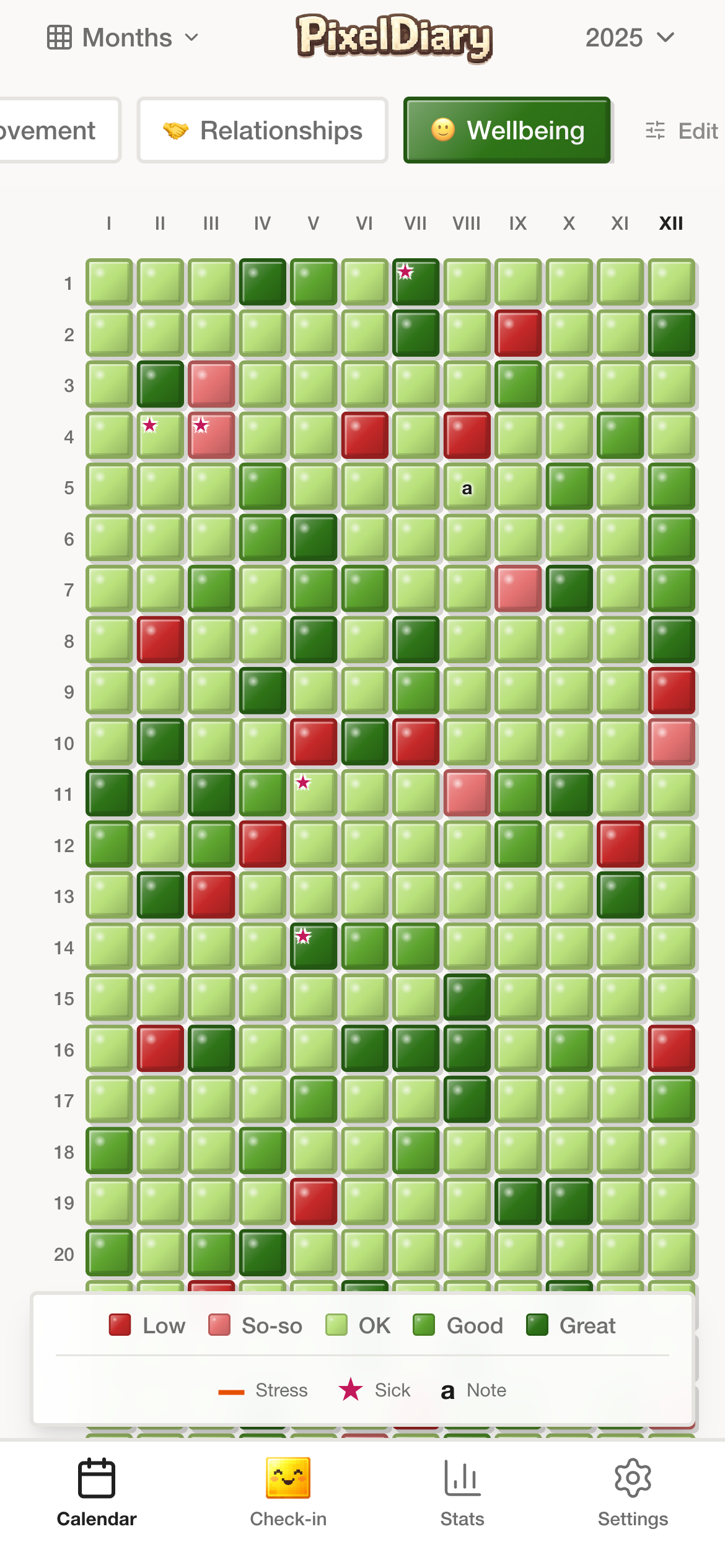
The main view stays easy to read: color-coded days, one clear legend, and enough signal to spot changes across the month at a glance.

Readable gridColor-coded daysMonthly context
PixelDiary year view showing color-coded daily entries across the full year.

Understand the category

PixelDiary is built around one visual idea that stays useful

People fill in Year in Pixels style calendars when they want to change something or understand themselves better: exercise more consistently, study regularly, sleep better, eat better, or break a bad habit. The core ritual is simple because it works: one quick note, one small square, one day at a time.

PixelDiary takes that familiar paper habit and moves it to the phone. The big gains are convenience, deep customization, and analytics that can help you read the pattern later instead of only storing it.

What makes the category different

A known paper ritual, now always with you
Ready-made trackers plus full customization
Analytics that surface patterns and correlations
Private enough for honest personal data

Choose a starting point

Explore the way you want to use PixelDiary

Proof in the product

See the parts of the app that support the promise

These screens show the four things that matter most in practice: the familiar year grid, flexible setup, a daily ritual that stays quick, and analytics that help you learn more from the record than a paper calendar ever could.

PixelDiary year view showing color-coded daily entries across the full year.

In the app

A familiar paper concept that is easier to keep on a phone

People already use Year in Pixels style calendars when they want to change something or observe themselves more clearly. PixelDiary keeps that tiny daily ritual, but makes it easier to carry, fill in, and revisit.

The advantage starts with convenience: the known concept is always with you instead of living on a sheet of paper at home.
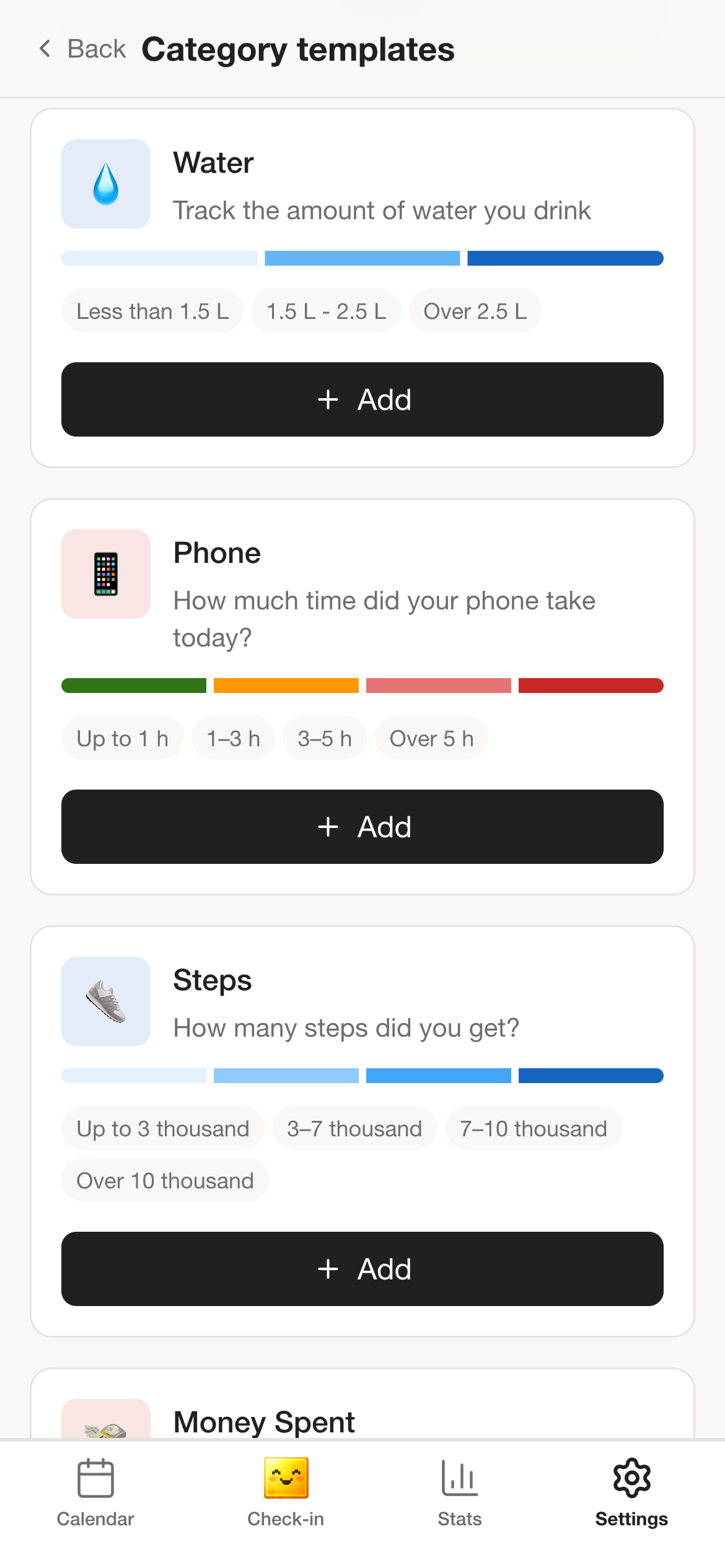
PixelDiary templates screen with preset starting points for several tracking flows.

In the app

Templates first, full customization when you want it

You can begin with ready-made category sets and then modify them freely. If your life does not fit standard wellness or habit templates, the app can be shaped around something highly specific.

That means you can track exercise and sleep, but also something niche like tomato seedlings with categories for watering, humidity, sunlight, and temperature.

PixelDiary daily check-in completion screen showing tracked categories for the day.

In the app

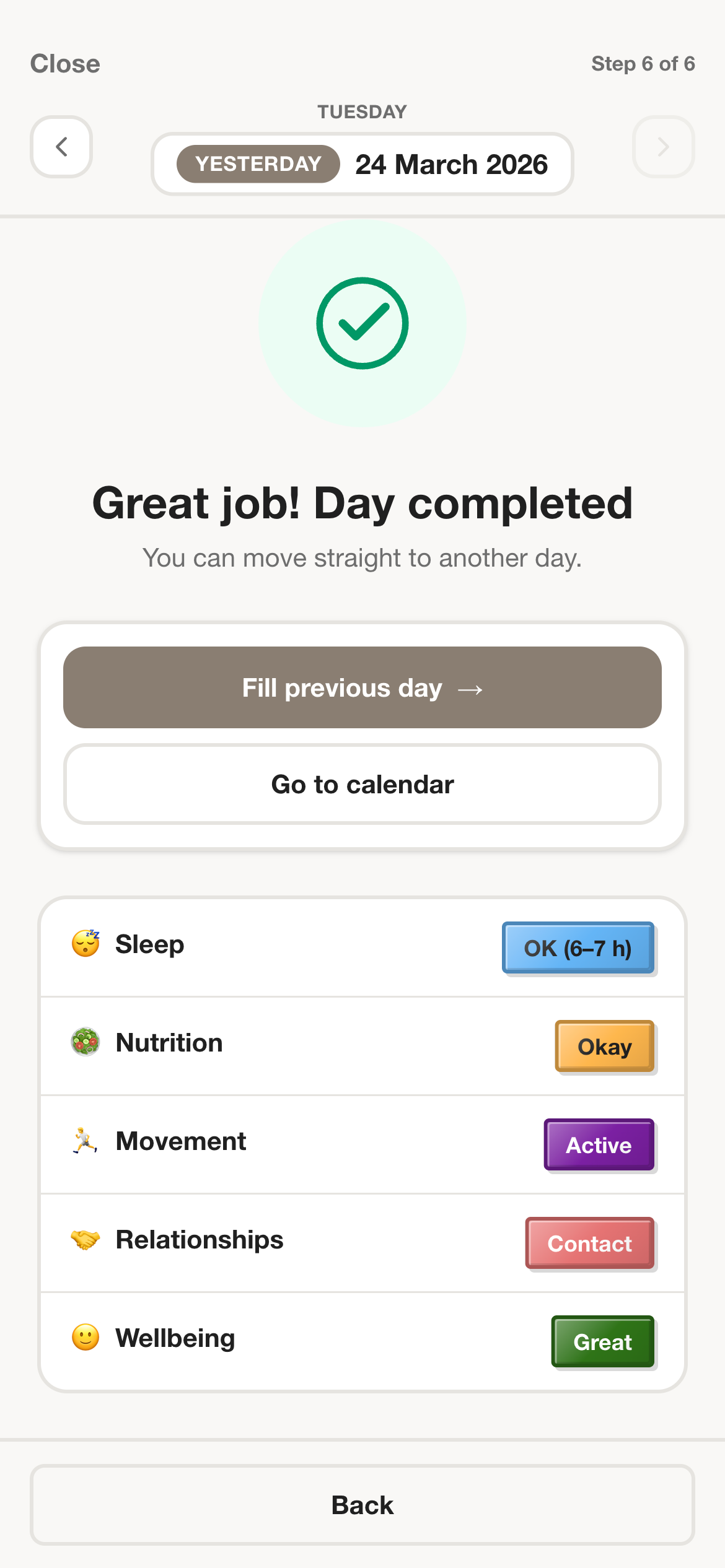
Quick daily entries keep the habit realistic

The whole system works only if yesterday's note is small enough to repeat. PixelDiary keeps the daily action quick and leaves extra detail for the days when it actually matters.

A phone should make the habit easier to keep than paper, not heavier than paper.

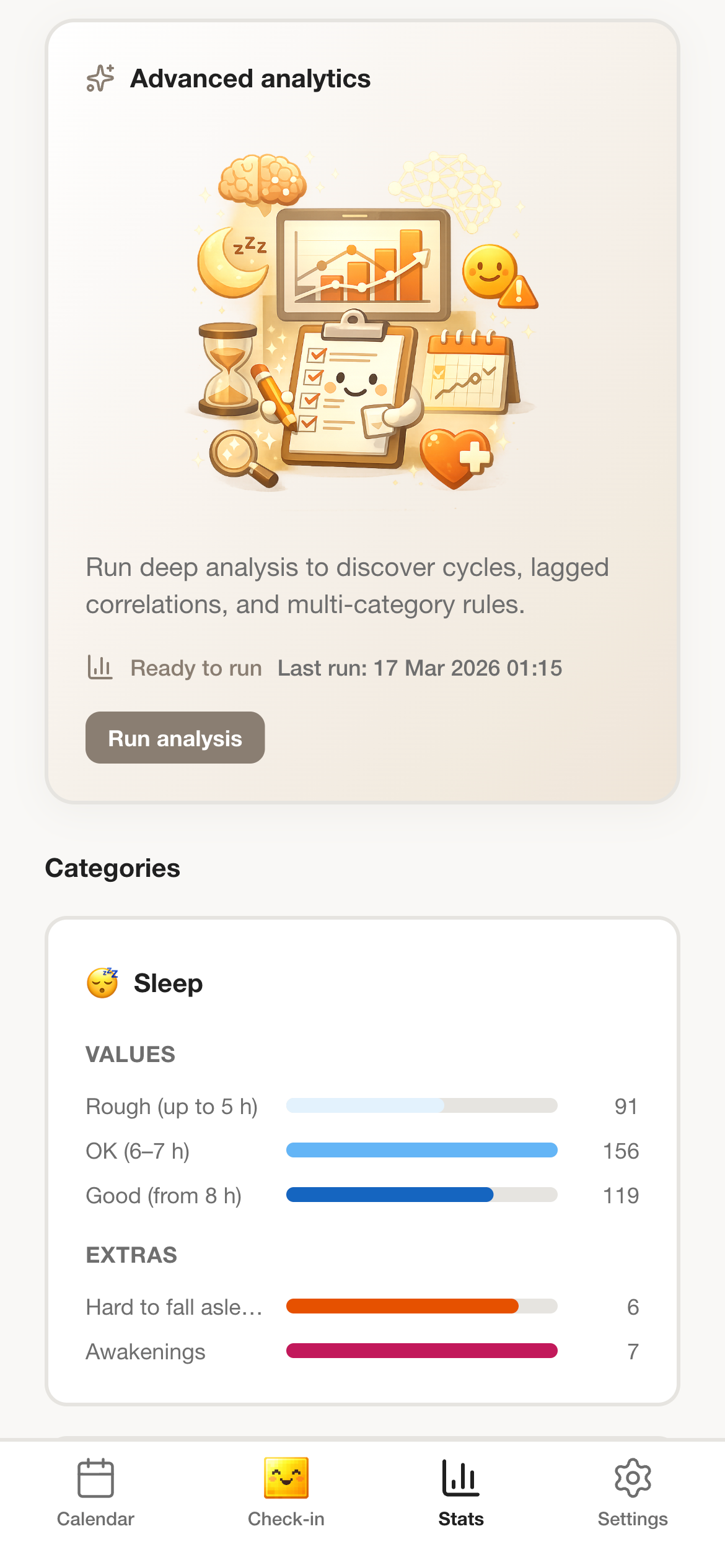
PixelDiary insights screen showing category summaries and analytics over time.

In the app

Analytics are the big advantage over paper

Once the data is on your phone, PixelDiary can do more than show a pretty calendar. It can summarize what you tracked, surface repeating patterns, and help you notice relationships across categories.

This is where the app starts to beat a sheet of paper: not only storage, but actual insight from the record you kept.

How it works

A simple daily flow that still creates a useful yearly record

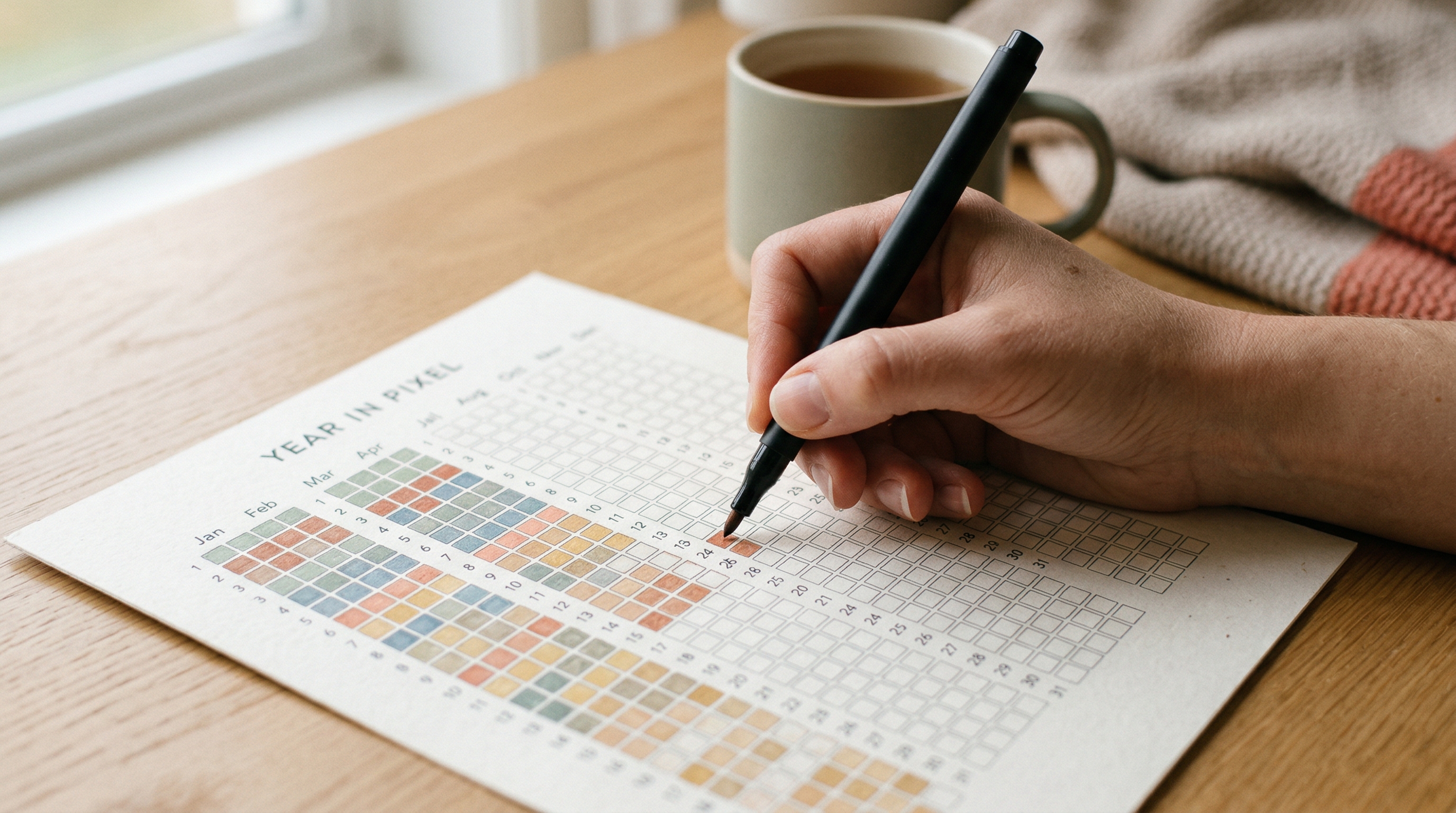
Close-up of a hand filling out a printed Year in Pixels sheet by hand on a wooden table beside a cup of tea.
Small enough to repeat

Why it stays usable

A quick note about yesterday is enough to keep the record alive

The app gets more valuable over time only if the habit stays easy enough to repeat. That is why the daily action stays closer to a tiny paper check-in than a full diary entry.

The best daily tracking systems survive ordinary days. PixelDiary keeps the ritual light so the long-term record can become meaningful.

Step 1

Start with templates or build your own system

Pick ready-made trackers for mood, habits, symptoms, sleep, or journaling, then change them as much as you want or build something unusual from scratch.

Step 2

Make one quick note about yesterday

The ritual stays close to the paper version: one small daily entry, with notes or modifiers only when the day needs more context.

Step 3

Let analytics turn entries into patterns

PixelDiary can summarize what you tracked, surface repeating cycles, and highlight relationships between categories such as sleep, mood, habits, or symptoms.

Trust and scope

What PixelDiary is built for

People use PixelDiary for personal things: mood, symptoms, sleep, habits, study, and sometimes very niche systems of their own. That means privacy matters, but it should work as a calm trust signal, not as a scary headline.

The stronger story is still templates, customization, and analytics. Privacy is what makes the product believable for honest personal data, especially when the record is meant only for the person who created it.

Private enough for honest tracking

Privacy works best here as reassurance, not as the main sales pitch. The data is encrypted, protected, and meant to stay visible only to the person who logged it.

Built for personal systems

Ready-made trackers get you started quickly, and full customization lets the app fit anything from wellbeing to a very specific hobby.

Analytics over your own data

The key app advantage over paper is analysis: summaries, recurring patterns, and relationships across the things you log.

Still fast enough to keep every day

The habit stays lightweight because the daily note is small, and the deeper value shows up later in review and analytics.

FAQ

Questions people ask before downloading

What is a Year in Pixels app?

A Year in Pixels app shows each day as a small colored square so the whole year becomes visible as one grid. That makes patterns, clusters, calmer periods, and memorable stretches easier to review than a long list of entries.

What can I track in PixelDiary?

PixelDiary can be used for mood, habits, symptoms, sleep, recovery, one-line journaling, and custom personal categories. The point is not one fixed use case, but one visual system that stays readable.

Can I use PixelDiary for something unusual?

Yes. You can start with templates or build your own category system from scratch. If you want to track something niche like home-grown tomatoes, you can create categories for watering, humidity, sunlight, and temperature.

How is this different from a streak app?

Streak apps focus on keeping a chain alive. PixelDiary focuses on keeping a record worth reviewing. That makes it better for reflection, context, and long-term pattern spotting.

Can I keep notes as well as colors?

Yes. PixelDiary supports notes and modifiers, so a day can stay tiny when you are busy and become more detailed when the context matters.

Is PixelDiary available for both major mobile platforms?

Yes. PixelDiary is available in the App Store and on Google Play for people who want a private Year in Pixels workflow on iPhone or Android.

Download PixelDiary and start your first visual record

Install PixelDiary on iPhone or Android and start building a record that is still worth revisiting months from now.

Download on the App StoreGet it on Google Play