

People who want a private emotional record
If mood tracking starts to feel performative, noisy, or too public, the habit usually dies. PixelDiary is designed for private review instead.
Mood tracking without performance pressure
Many mood trackers are good at capture but weak at reflection. You log a number, the day disappears into a feed, and the history is hard to revisit honestly. PixelDiary is designed to make the history itself easier to read.
You can log the day quickly, keep notes for the days that need explanation, and return later to patterns that are visible on the year grid instead of buried in a timeline. When mood is tracked next to sleep or habits, the analytics can also help surface relationships you might otherwise miss.


Daily mood logging
A useful mood tracker should reduce friction on ordinary days and still let you preserve context on the harder or more memorable ones.
Who it's for
If mood tracking starts to feel performative, noisy, or too public, the habit usually dies. PixelDiary is designed for private review instead.
A mood score often needs context. Stress, relief, conflict, travel, illness, or a meaningful event can matter more than the score itself when you review later.
The year view helps you see emotional stretches, calmer periods, and repeating patterns that are hard to notice when each day is trapped in a separate entry.
How it works in practice
Step 1
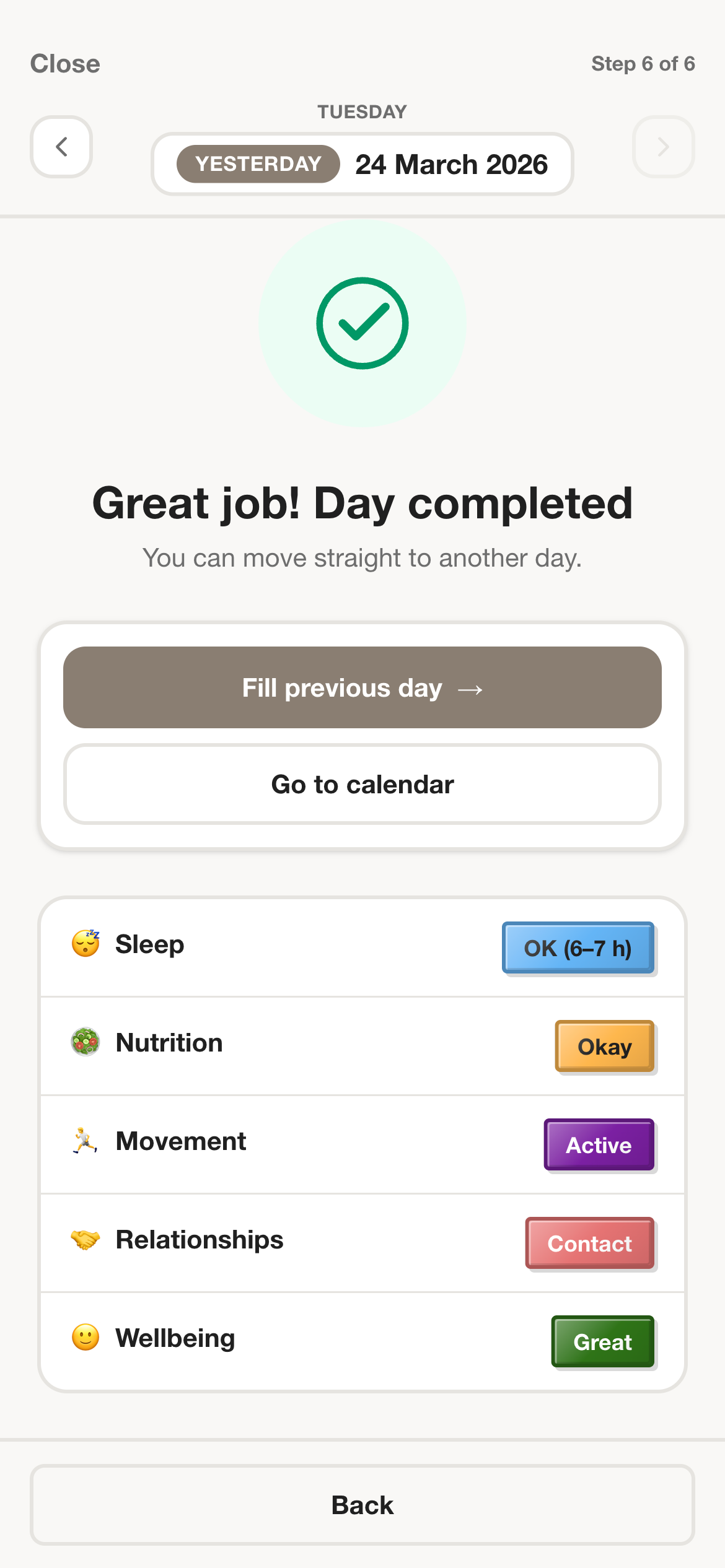
The app has to feel light on days when you do not want to write much. That is why the core action is a fast entry rather than a mandatory reflection exercise.
Step 2
Short notes and modifiers make the record more useful without forcing you to write a long explanation every evening.
Step 3
A mood tracker becomes genuinely helpful when it lets you revisit patterns across weeks and months rather than only collecting a stack of disconnected daily ratings.
Example setup ideas
Choose a scale that matches your own language, from very low to very good, and keep one short note field for outlier days.
This is the smallest setup that still produces a history worth revisiting after a few weeks.
Track mood as the main signal and use a second category or modifier for energy, tension, or mental load.
Pairing two related signals makes it easier to distinguish sadness, exhaustion, stress, and recovery patterns.
Use note snippets for triggers like conflict, travel, deadlines, social time, or rest days when those are the drivers you want to understand later.
The record becomes specific enough to explain changes without becoming a full diary every night.
In the app
These captures are here to support the promise on the page. Each one is tied to a specific claim about how the workflow actually works inside PixelDiary.
In the app
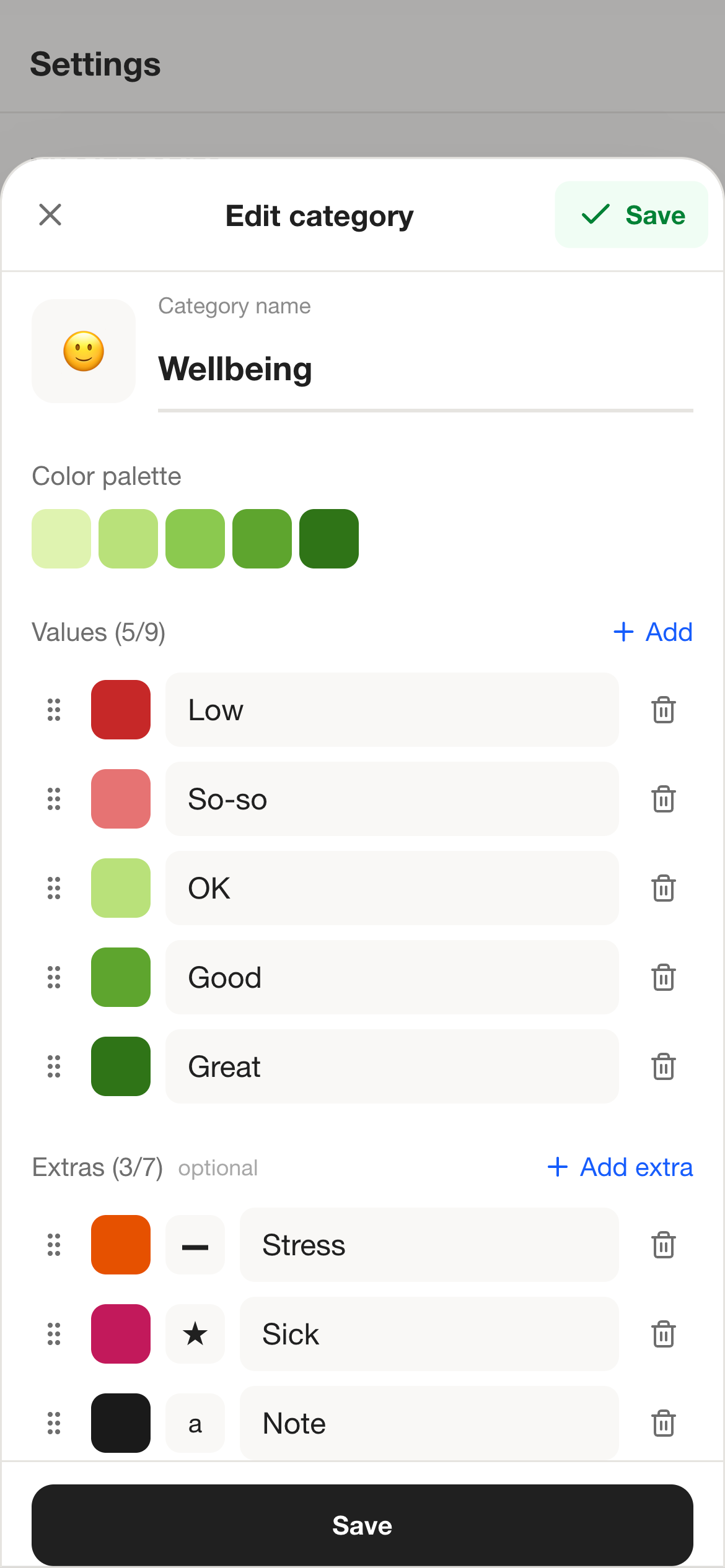
Mood tracking works better when the categories sound like how you actually describe your days. PixelDiary supports custom values, colors, and modifiers for that reason.
A tracker is easier to keep when the labels feel natural instead of borrowed from someone else's system.
In the app
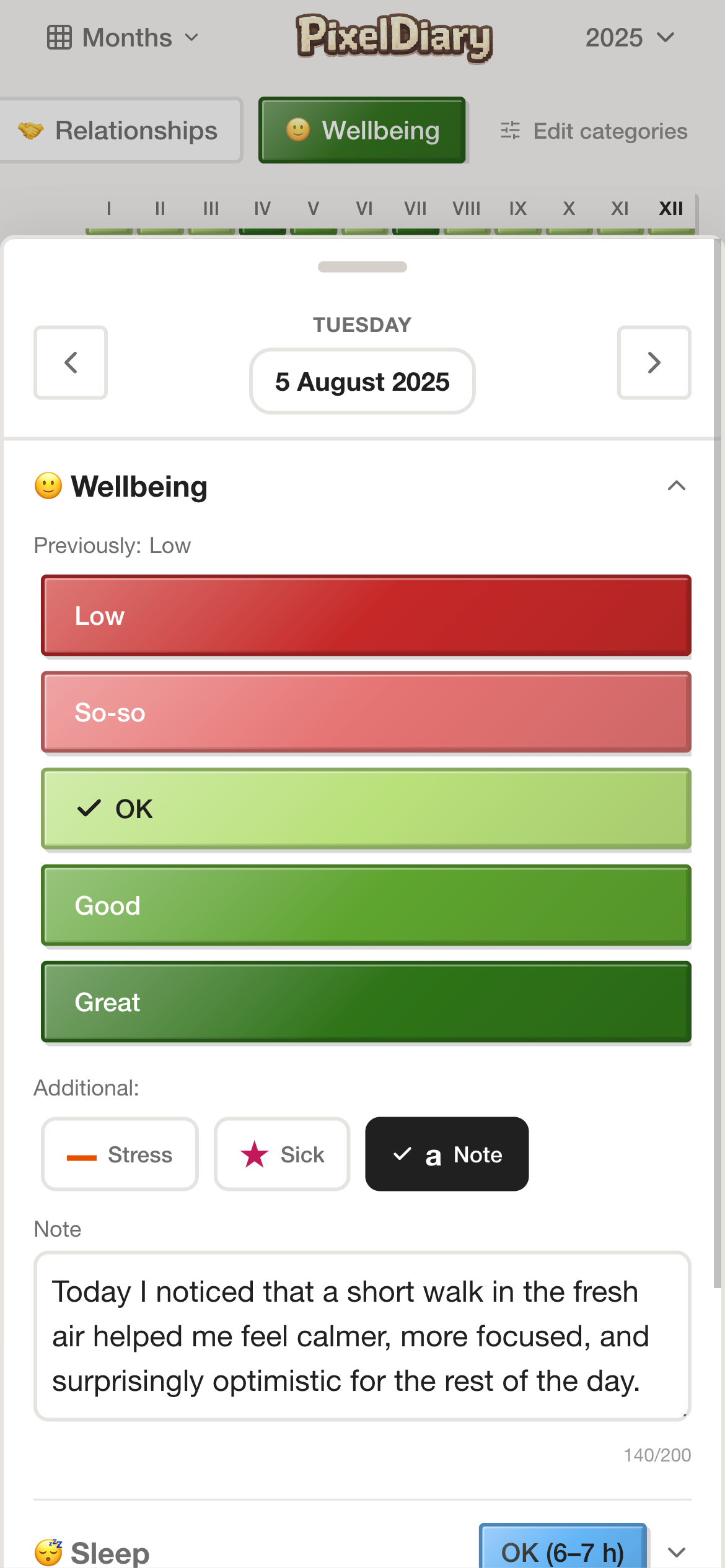
When a day feels unusual, the note field turns a raw score into something you can understand later instead of forcing you to guess from memory.
The note does not replace the visual mood record. It makes the visual record more honest and more interpretable.
In the app
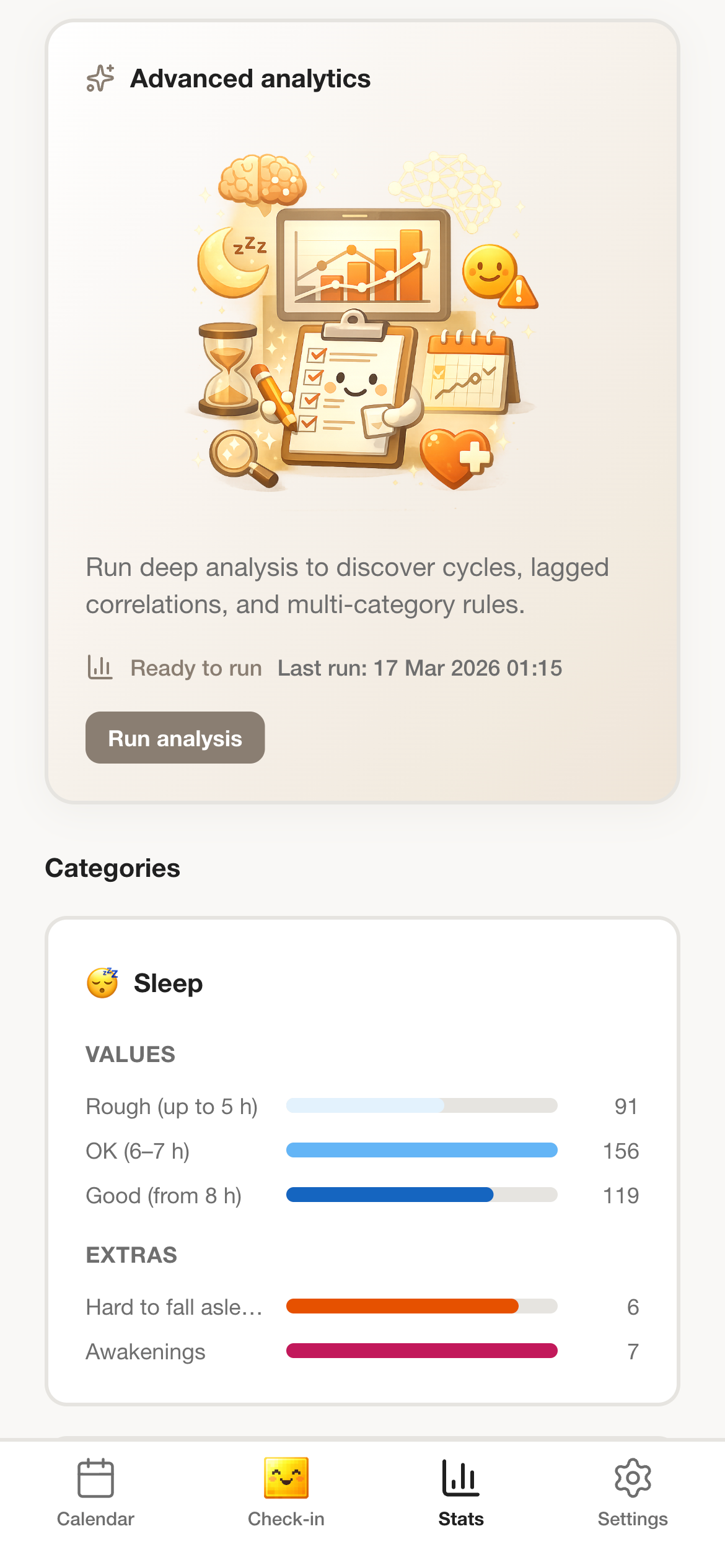
A color-coded history is already helpful, but PixelDiary gets stronger when you combine mood with other categories and let the analytics surface repeating stretches or relationships such as poor sleep followed by worse days.
The point is not only to store mood data, but to help you read it more intelligently later.
Why this instead of something else
Different mood tools optimize for different jobs. PixelDiary is strongest when privacy, context, and long-range review matter more than streaks or social mechanics.
Compared with
Where it falls short
Fast to use, but often too thin on context and too weak for reviewing patterns beyond a chart of past scores.
Why PixelDiary fits
PixelDiary keeps the quick entry but adds notes, visual review, and a year-scale memory of how life has felt.
Compared with
Where it falls short
Good for depth, but hard to scan across long periods unless you reread many entries one by one.
Why PixelDiary fits
PixelDiary keeps the emotional context while making the larger pattern readable at a glance.
Compared with
Where it falls short
Community features can be motivating for some people but can also make emotional logging feel performative.
Why PixelDiary fits
PixelDiary keeps the workflow private so the record can stay more honest and less self-conscious.
Trust and product truth
Mood tracking can drift into either oversimplification or overexposure. PixelDiary aims for a middle ground: small daily inputs, enough context to be meaningful, and a private environment that does not ask you to perform your inner life for anyone else.
It is still a product for personal reflection, not a clinical tool. The value comes from making your own history easier to observe and remember.
Private by design
The product positioning is personal rather than social, which matters for a use case as sensitive as mood logging.
Context is optional, not mandatory
You can keep the habit alive with tiny entries and still add richer notes when a day deserves explanation.
Review happens in the same product
The year grid and review screens make it possible to revisit the history without exporting it into another tool.
No medical claims
The page presents mood tracking as personal reflection and record-keeping rather than diagnosis or treatment.
Context and sources
These references are here to support the broader logic of tracking, reflection, and pattern review. They do not change the product claims above.
Last reviewed: 2026-03-29
Oxford Health NHS
Helpful context for why mood records become more useful when they make patterns visible over time.
Read sourceAPA summary
A useful reminder that the value of tracking often comes from repeated observation, not from complexity.
Read sourceRelated pages
See the format explanation behind the mood-tracking workflow.
See how PixelDiary works when short notes and memories matter as much as mood scoring.
Explore how symptoms, sleep, and energy can live alongside emotional tracking.
FAQ
Yes. PixelDiary is designed for private use and works well for mood tracking when you want quick daily logging plus optional notes for context.
Yes. Notes are built into the daily record so you can explain what made a day feel different without switching to another app.
Because moods often make more sense in clusters, seasons, or stretches than in isolated daily scores. The year view helps you step back and revisit those patterns.
No. The app is a personal tracking and reflection tool. It does not make medical or therapeutic claims.
Yes. You can adapt values, colors, and modifiers so the system reflects your own language and tracking needs.
PixelDiary helps you log mood quickly, keep important context, and build a history that stays readable instead of disappearing into a feed.