

People tracking symptoms that change with context
Symptoms rarely exist in isolation. Travel, sleep disruption, medication, stress, and unusual days can change how useful the record becomes later.
Private symptom tracking
Symptom tracking becomes more useful when the record captures both the signal and the context around it. PixelDiary lets you keep symptoms, sleep, fatigue, pain, modifiers, and short notes in one place instead of scattering them across several tools.
The year view is especially helpful here because it makes clusters, calmer periods, and recurring waves easier to notice than isolated notes written only on the most difficult days. When symptoms are tracked next to sleep, mood, or routines, the analytics can also help surface relationships in the record without pretending to diagnose anything.


Daily symptom history
A useful symptom diary needs more than a daily score. It needs enough context to help you remember what changed and when.
Who it's for
Symptoms rarely exist in isolation. Travel, sleep disruption, medication, stress, and unusual days can change how useful the record becomes later.
Health-adjacent tracking often feels too personal for public, gamified, or ad-heavy products. PixelDiary is better suited to quieter private use.
When the question is whether something is recurring, clustering, or easing over time, a year-scale view can be more helpful than a stack of separate notes.
How it works in practice
Step 1
The app has to make it realistic to log symptoms on ordinary days too, not only when something is dramatically worse.
Step 2
Modifiers and notes make the record more interpretable because they show what else was happening around the symptom instead of leaving you to reconstruct it later.
Step 3
The year grid and alternate calendar views help you spot clusters, calmer periods, recurring weekdays, and seasonality without promising diagnosis.
Example setup ideas
Track symptom intensity and use modifiers for travel, medication, poor sleep, or unusually stressful days.
This helps separate the raw intensity from the circumstances around it when you review the month later.
Pair a daily fatigue score with sleep quality or sleep duration notes to make low-energy periods easier to understand.
Two related signals often reveal more than one symptom line on its own.
Use categories for symptoms, energy, appetite, or overall wellbeing and keep quick context notes for unusual days.
The result is a calmer personal history you can actually scan instead of a pile of disconnected health notes.
In the app
These captures are here to support the promise on the page. Each one is tied to a specific claim about how the workflow actually works inside PixelDiary.
In the app
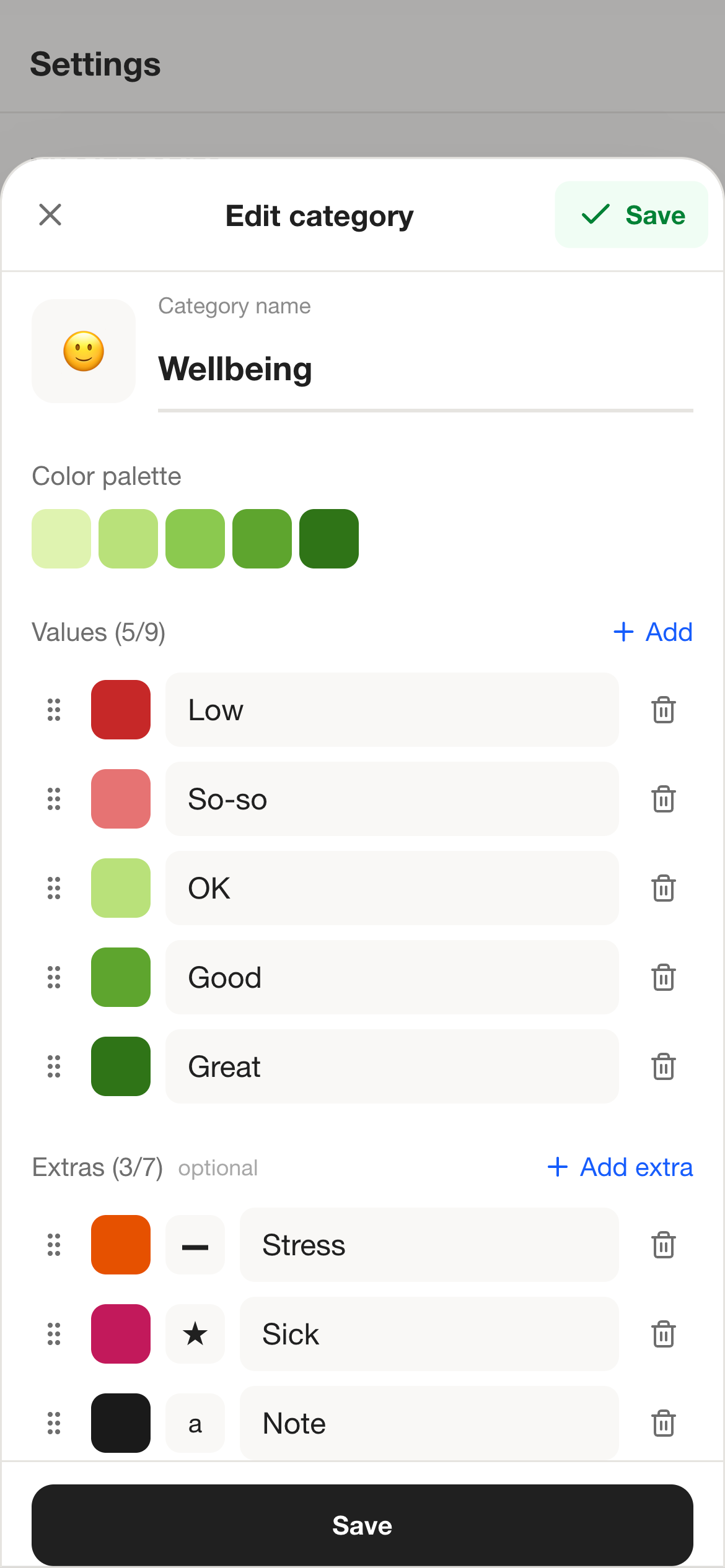
Symptoms are not one-size-fits-all. PixelDiary lets you adjust values, colors, and modifiers so the tracking language matches what you are actually observing.
The closer the scale fits the symptom, the more reliable the record becomes over time.
In the app
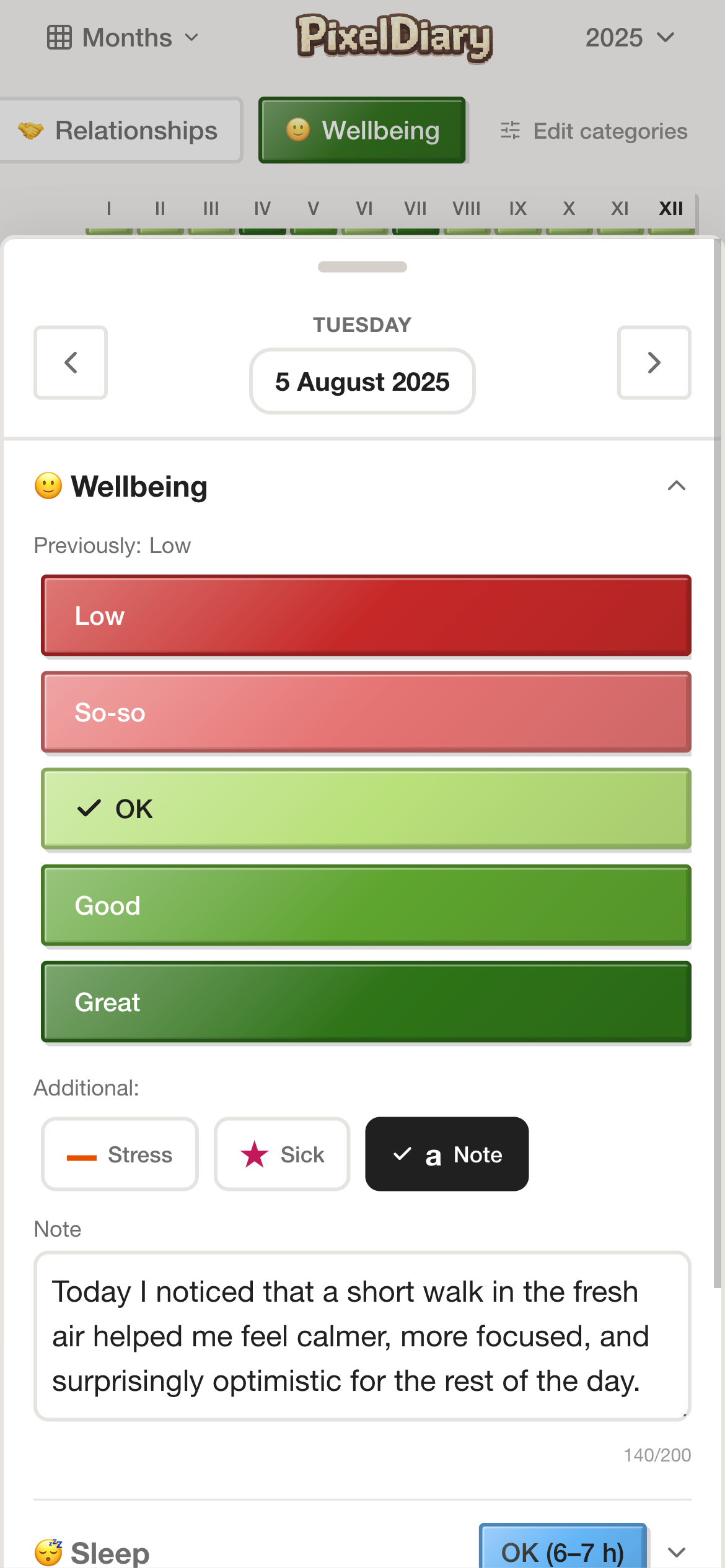
For symptoms, context is often what makes the entry usable later. PixelDiary keeps that context close without forcing you into a full daily diary.
The record stays short on normal days and becomes detailed only when the day needs more explanation.
In the app
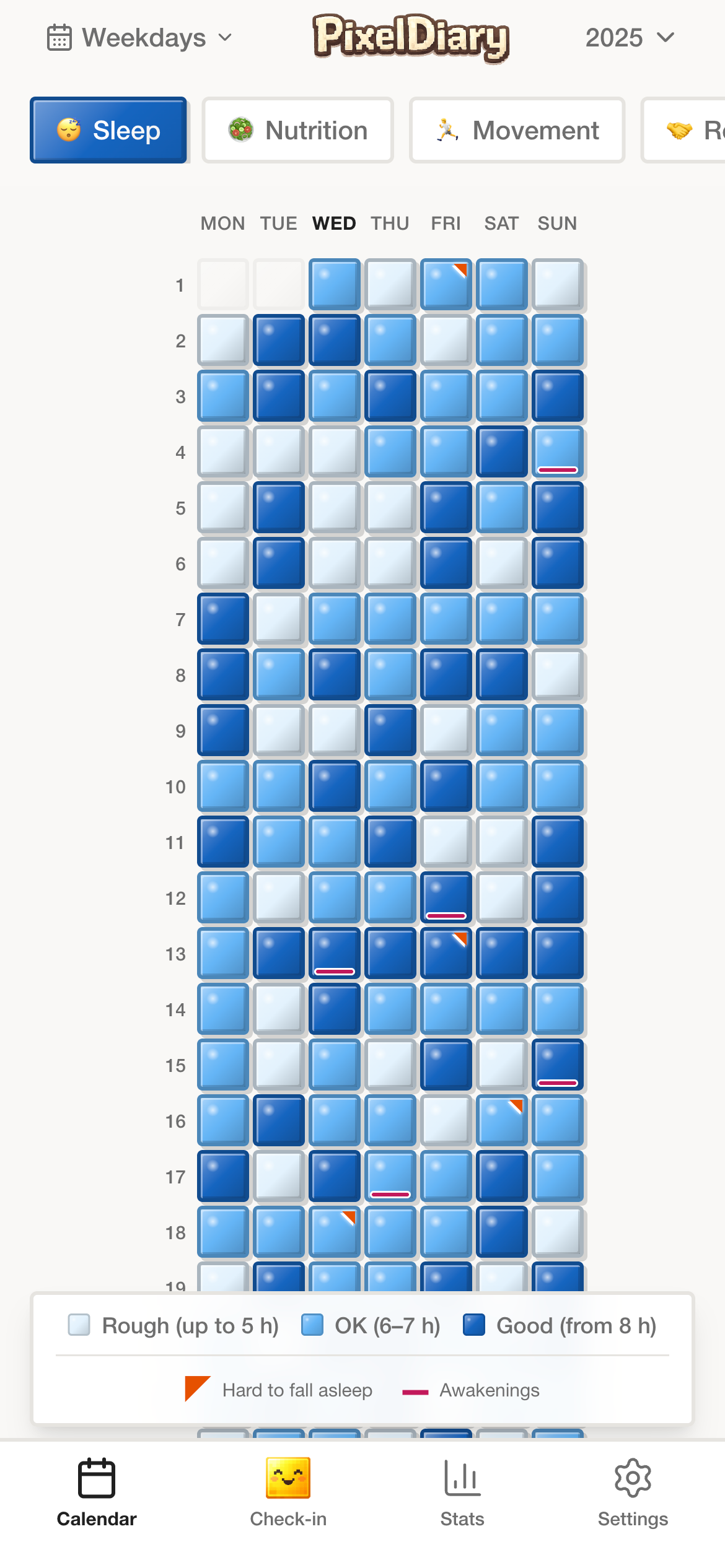
A symptom history becomes more useful when you can step back. PixelDiary can help surface recurring clusters and relationships in what you logged, while still staying careful about what the app does and does not claim.
This is about clearer personal record-keeping and pattern finding, not about automating medical conclusions.
Why this instead of something else
Symptom tools vary a lot. PixelDiary is not trying to replace clinical systems. It is a better fit when you want a private personal record that stays readable over time.
Compared with
Where it falls short
Easy to start, but hard to review over time because the record stays trapped in dated text entries.
Why PixelDiary fits
PixelDiary adds a visual layer so the history becomes scannable while still allowing short notes when context matters.
Compared with
Where it falls short
Flexible but often too much work to maintain consistently on a phone, especially for daily symptom entries.
Why PixelDiary fits
PixelDiary keeps the workflow much lighter while preserving customization through categories and modifiers.
Compared with
Where it falls short
Potentially powerful, but often heavier and more formal than someone wants for a personal everyday history.
Why PixelDiary fits
PixelDiary is simpler and calmer for self-tracking, while avoiding clinical claims it should not make.
Trust and product truth
Sensitive tracking needs credibility, which often means saying less rather than more. PixelDiary presents symptom tracking as a way to keep a clearer personal record, not as a path to automated answers.
That is why this page emphasizes notes, modifiers, privacy, and pattern review rather than diagnosis language or medical promises.
Privacy-first framing
The page positions the app as a personal record for sensitive information rather than a social or ad-heavy wellness product.
Context captured in the same workflow
Triggers, modifiers, and notes can live beside the symptom instead of being reconstructed later.
Pattern review without overclaiming
The landing page talks about clearer history and better review, not about diagnosis, prediction, or treatment.
Useful on ordinary days
The daily entry flow is intentionally small so you can log neutral or moderate days too, which is what makes the history trustworthy.
Context and sources
These references are here to support the broader logic of tracking, reflection, and pattern review. They do not change the product claims above.
Last reviewed: 2026-03-29
Oxford Health NHS
Useful as a general reference for why visual diaries can help people notice changes and recurring patterns.
Read sourceSpringer review
Helpful background for why structured personal logging can support reflection and informed decisions without replacing expertise.
Read sourceRelated pages
See how PixelDiary handles emotional context alongside body signals.
Learn why the visual grid works so well for longer-range symptom review.
Explore the journaling-oriented version of the same visual workflow.
FAQ
Yes. The app is designed for quick daily entries, which is important if you want the record to include ordinary days as well as difficult ones.
Yes. Notes and modifiers are part of the workflow, so you can capture medication, travel, stress, sleep disruption, or other useful context.
Yes. You can create separate categories for different signals and review them over the same period in the same product.
No. PixelDiary is a personal tracking and review tool. It does not claim to diagnose, predict, or treat health conditions.
Because symptoms often make more sense when you can see clusters, calmer periods, repeating weekdays, or seasonality rather than only reading isolated daily notes.
PixelDiary helps you keep a calmer symptom history with notes, modifiers, and reviewable patterns over time without making claims it should not make.